- Shell 93.6%
- Dockerfile 6.4%
| .sisyphus | ||
| deploy | ||
| tests | ||
| user | ||
| .gitattributes | ||
| .gitignore | ||
| AGENTS.md | ||
| backup_script.sh | ||
| bun.lock | ||
| docker-compose.yml | ||
| Dockerfile | ||
| package.json | ||
| README.md | ||
| sample.env | ||

Opencode Docker
This project provides a secure, isolated Docker environment designed for running OpenCode agents. It features a fully-featured development environment accessible remotely via OpenSSH.
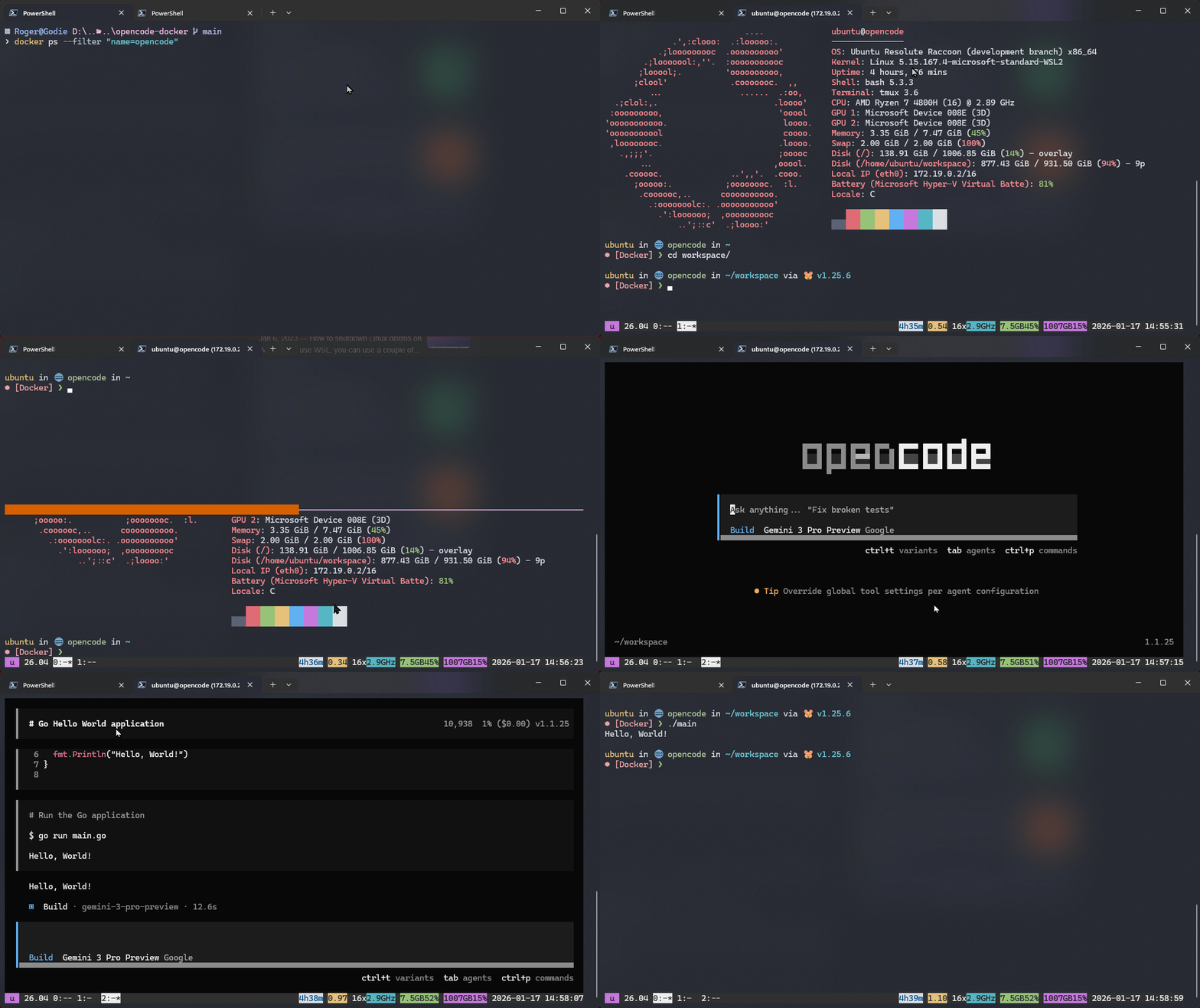
🚀 Features
- Secure Isolation: Runs in a self-contained container based on Alpine Linux 3.21.
- Remote Access: Accessible securely from anywhere via SSH on port 10022.
- Persistent Configuration: Your workspace and configurations (tmux, OpenCode, shell history) are persisted across restarts.
- Git Worktree Workflow: Bare repos stored in
/usr/local/reposwith interactivenew-workspacescript for managing worktrees. - Rich Tooling: Comes pre-loaded with a modern suite of CLI tools, editors, and development runtimes.
- OpenCode Integration: oh-my-openagent plugin installed at runtime with MCP servers and skills.
- CodeNomad Service: HTTP server for code browsing on port 9899.
- UID/GID Mapping: Automatically maps container user to host user permissions for seamless bind-mount access (see Environment Variables).
🛠️ Getting Started
Prerequisites
- Docker installed on your host machine.
- Docker Compose (usually bundled with Docker Desktop).
Installation & Usage
-
Clone the repository:
git clone <repository-url> cd opencode-docker -
Configure environment variables: Create a
.envfile in the root directory (or set these in your shell):# Copy from sample.env cp sample.env .env # Edit .env with your password USER_PASSWORD=your-secure-passwordAvailable variables:
Variable Default Description USER_PASSWORDubuntuSSH password for opencodeuserTZEurope/BerlinContainer timezone TERMxterm-256colorTerminal type for TUI apps OPENCODE_DISABLE_AUTOUPDATE1Skip OpenCode update checks PHP_VERSIONS8.2 8.3 8.4Space-separated list of PHP CLI versions to install (available: 8.2, 8.3, 8.4) HOST_UID$(id -u)Map container user to host user UID (defaults to current user if named "opencode") HOST_GID$(id -g)Map container user to host user GID (defaults to current user if named "opencode") -
Build and start the container:
docker compose up -d --build -
Connect via SSH:
ssh -p 10022 opencode@localhostUpon login, you'll be automatically attached to a tmux session named
main. When you detach from tmux (prefix+d), the SSH connection closes cleanly.
🧰 Included Tools
Core & Shell
| Tool | Purpose |
|---|---|
| zsh | Primary shell with Starship prompt |
| bash | Fallback shell |
| tmux | Terminal multiplexer with plugins (resurrect, continuum) |
| starship | Cross-shell prompt |
| zoxide | Smarter cd with directory navigation |
Editors
| Tool | Purpose |
|---|---|
| neovim | Modern Vim-based editor |
| vim | Classic Vim |
| nano | Simple text editor |
CLI Utilities
| Category | Tools |
|---|---|
| File Management | mc (Midnight Commander), eza, ncdu, tree |
| Search | fzf, rg (ripgrep), fd, ast-grep/sg |
| Git | git, lazygit, gh (GitHub CLI), glab (GitLab CLI) |
| System | htop, fastfetch, less, jq, yq |
| Archives | zip, unzip |
| Network | curl, wget, ping, traceroute, dig, nmap, iperf3 |
| Modern Replacements | bat (cat clone), eza (ls clone) |
| Security | age, gnupg, openssh-server |
Build Tools
| Tool | Purpose |
|---|---|
| gcc/g++ | C/C++ compiler |
| make | Build automation |
| cmake | Cross-platform build system |
| ninja | Fast build system |
| linux-headers | Kernel headers for module building |
Development Runtimes (managed via mise)
| Tool | Purpose |
|---|---|
| Node.js + npm + npx | JavaScript runtime and package manager |
| Python 3 | Python interpreter |
| uv | Fast Python package installer |
| Bun | Fast JavaScript runtime and bundler |
| OpenCode CLI | OpenCode AI agent environment |
PHP CLI Versions
Multiple PHP CLI versions are installed at build time. Default versions: 8.2, 8.3, 8.4
Configure via PHP_VERSIONS environment variable in .env:
# Install specific versions
PHP_VERSIONS="8.2 8.3 8.4"

# Install all available versions
PHP_VERSIONS="8.2 8.3 8.4"
Usage:
php          # Default version (last in PHP_VERSIONS)
php82        # PHP 8.2
php83        # PHP 8.3
php84        # PHP 8.4
Available versions on Alpine 3.21: 8.2, 8.3, 8.4
Note: PHP 7.x and earlier versions are not available in Alpine 3.21.
Extensions included: CLI, ctype, curl, DOM, fileinfo, mbstring, OpenSSL, tokenizer, XML
Specialized Tools
| Tool | Purpose |
|---|---|
| ast-grep (sg) | AST-aware code search and structural matching |
| CodeNomad | HTTP server for code browsing (runs on port 9899) |
| intelephense | PHP language server |
| new-workspace | Interactive git worktree manager (see below) |
📂 Volume Mappings
The following directories are mapped to ensure data persistence:
Bind Mounts (Host ↔ Container)
| Host Path | Container Path | Purpose |
|---|---|---|
./user |
/home/opencode |
User home (configs, SSH keys, shell history, tmux state, OpenCode data) |
./repos |
/usr/local/repos |
Git bare repos for worktree-based workspaces |
🖥️ Workspace Management
The new-workspace script provides an interactive workflow for managing git worktrees:
new-workspace                    # Interactive: pick repo → pick branch → create worktree
new-workspace --list             # Show all worktrees across all repos
new-workspace --help             # Show usage and examples
Flow:
- Scans
/usr/local/repos/for bare repos (directories containing.bare/) - Lets you pick a repo via
fzf(or bash select fallback) - If no repos exist, offers to clone a new one as a bare repo
- Shows remote branches via
fzf— pick or type a new branch name - Creates a git worktree for that branch
- Opens a new tmux window in the worktree directory and starts OpenCode
Benefits:
- Single bare repo with multiple worktrees for different branches
- Disk efficient — worktrees share git objects
- Clean switching — each branch gets its own working directory
⚡ OpenCode Integration
First-Run Setup
On first container start, the entrypoint automatically:
- Seeds shell configs from
/etc/skel/opencode(only if missing) - Installs oh-my-openagent plugin with MCP servers
- Seeds GitHub host keys into
~/.ssh/known_hosts - Configures intelephense LSP for PHP support
oh-my-openagent Plugin
Installed via entrypoint with:
npx oh-my-openagent install --no-tui --claude=yes --openai=yes --gemini=no --copilot=no
Plugins installed:
opencode-anthropic-auth@0.0.13— Anthropic Claude authenticationoh-my-openagent@latest— MCP servers and skills management
Config Location
OpenCode configuration is stored in /home/opencode/.config/opencode/ (via ./user bind mount).
🔧 Troubleshooting
Build Issues
Colima credential errors on macOS:
If you see errors about desktop credential helper, create a temporary Docker config:
mkdir -p /tmp/docker-config
echo '{"credsStore":""}' > /tmp/docker-config/config.json
DOCKER_CONFIG=/tmp/docker-config DOCKER_HOST=unix:///Users/thorsten/.config/colima/default/docker.sock docker compose build --no-cache
Container Won't Start
Check logs for errors:
docker compose logs -f opencode
Common issues:
- Port 10022 already in use — Change to port mapping in
docker-compose.yml - Permission denied — Ensure
./userand./reposdirectories exist and are writable - UID/GID mismatch — If your host user is not named "opencode", set
HOST_UIDandHOST_GIDin.envto match your actual UID/GID
SSH Connection Issues
Can't connect:
# Verify container is running
docker compose ps

# Check SSH is listening
docker exec opencode netstat -tlnp | grep :22
Wrong password:
The password is set via USER_PASSWORD in the .env file. Default is ubuntu.
OpenCode Database Lock Issues
If you see .fuse_hidden* files or OpenCode hangs:
- This is normal on first start — entrypoint is fixing permissions
- If it persists, check your
.envfile and ensureHOST_UID/HOST_GIDare set correctly to match your host user permissions
Slow OpenCode Startup
Running opencode in one tmux tab can slow down other opencode commands (even --version) due to SQLite WAL lock contention. This is an upstream design issue.
Concurrent Instances
Avoid running multiple OpenCode instances simultaneously. The SQLite database can become slow or unresponsive with concurrent access.
🧪 Testing
Automated Test Suite
The project includes a comprehensive test suite covering 18 test scenarios:
# Full lifecycle: build → start → test → cleanup
./tests/run-tests.sh

# Skip build, test existing image
./tests/run-tests.sh --no-build

# Keep container for debugging after tests
./tests/run-tests.sh --no-cleanup
Test coverage includes:
- Base image (Alpine 3.21 verification)
- Shell & core utilities
- SSH server configuration
- Editors and CLI tools
- Build tools and development tools
- Network utilities
- System-path binaries (survive bind mount)
- User setup and permissions
- File structure and entrypoint functions
new-workspacescript- CodeNomad service
- Environment variables
- Compatibility layers (glibc, shadow)
Manual Verification
Quick spot-checks without running the full test suite:
# Verify image builds cleanly
docker compose build 2>&1 | tail -5

# Verify container starts and stays running
docker compose up -d && sleep 5 && docker compose ps

# Verify SSH connectivity
ssh -p 10022 opencode@localhost 'echo ok'

# Verify key tools
docker exec opencode bash -c 'opencode --version && node --version && bun --version && sg --version'
🏗️ Build Reference
Docker Structure
Base Image: Alpine Linux 3.21
Build Layers:
- System packages (Alpine
apk) - Shell switch to
/bin/bash ast-grepbinary (direct download)- npm global tools (CodeNomad, intelephense)
- GitLab CLI (
glab) - SSH configuration
- Rust tools (uv, mise, zoxide, starship)
- User setup (
opencodeuser, sudoers) - User context (OpenCode, TPM, Bun)
- System binary copy (bun, OpenCode →
/usr/local/bin) - Skeleton staging (configs →
/etc/skel/opencode) - Entrypoint setup
First-Run Entrypoint Behavior
The entrypoint (/entrypoint.sh) runs on every container start:
- SSH host keys: Regenerate if missing (never stored in image)
- UID/GID mapping: Adjust
opencodeuser to match host filesystem ownership - File seeding: Create missing configs from
/etc/skel/opencode(never overwrites existing) - Permission fixing: Ensure bind-mounted directories have correct ownership
- Password setting: Set SSH password from
USER_PASSWORDenv var - TPM plugins: Install tmux plugins on first run
- oh-my-openagent: Install OpenCode plugin (idempotent)
- intelephense LSP: Configure PHP language server
- CodeNomad: Start HTTP service on port 9899
Safety rules:
- Never deletes or overwrites existing files in
/home/opencodeor/usr/local/repos - Only creates missing files/dirs
- Uses
[ -f file ] || touch filepattern for idempotent operations
🔌 Shell & tmux Configuration
Shell Configurations
zsh (primary):
- Auto tmux attach: On SSH login, attaches to
mainsession or creates it - History: Persistent history at
~/.local/share/shell/.zsh_history - Tools: Starship prompt, zoxide for smart
cd, mise for version management, fzf integration
bash (fallback):
- Simple PATH and history configuration
- Kept for scripts that explicitly source
.bashrc
tmux Configuration
Features baked into .tmux.conf:
- Indexing: Windows and panes start at index 1
- Terminal:
tmux-256colorwith RGB passthrough (critical for OpenCode TUI) - Performance: Zero escape time delay, 50000 line history
- Plugins: TPM, sensible, resurrect, continuum
- Auto-save: tmux sessions saved every 15 minutes
- Auto-restore: Sessions restored on tmux start
- Status bar: Session name, time, date
Key bindings:
prefix+r— Reload config
🚢 CodeNomad Service
CodeNomad is an HTTP server for browsing code repositories. It starts automatically on container boot:
- Port: 9899 (mapped to host port 9899)
- Workspace root:
/usr/local/repos(bare repos) - Config:
~/.config/codenomad - Logs:
/var/log/codenomad.log - Auth: Disabled (
--dangerously-skip-auth) — assume trusted network
Access at: http://localhost:9899
📝 Project Structure
.
├── Dockerfile                  # Main image build (Alpine 3.21)
├── docker-compose.yml          # Service configuration
├── sample.env                 # Environment variable template
├── deploy/
│   ├── entrypoint/
│   │   └── entrypoint.sh      # Container entrypoint (first-run setup)
│   └── home-scripts/           # Files staged to /etc/skel/opencode
│       ├── .zshrc              # Primary shell config
│       ├── .bashrc             # Bash fallback
│       ├── .profile             # Login shell profile
│       ├── .tmux.conf          # tmux configuration
│       ├── .config/
│       │   ├── fzf/
│       │   │   └── fzf-bash-completion.sh
│       │   └── mise/
│       │       └── config.toml
│       └── bin/
│           └── new-workspace    # Git worktree manager
├── tests/
│   └── run-tests.sh            # Comprehensive test suite
├── user/                      # Gitignored; bind mount for /home/opencode
└── repos/                     # Gitignored; bind mount for /usr/local/repos
📄 License
This project is provided as-is for development purposes.